On November 16, I opened the LadyFly analytics in App Store Connect and saw a banner: "New Metrics for Retention Messaging and Offers". Behind it are four metrics for the subscription cancellation screen, and the most prominent is Save Rate. Two weeks ago Apple opened retention messages to everyone, and now it gives you a way to measure them. Below I go through what the new metrics count, where Save Rate flatters the result, what changed in the API on November 4, and how I'm connecting retention messaging through RevenueCat in ArcaLuna.
What a retention message is, how to set one up in App Store Connect without a server, and what App Review rejects is covered in my article on App Store retention messaging. This one covers only what's new.
Four metrics for the cancellation screen#
The link in the banner leads to the subscription analytics help page. It describes four metrics:
| Metric | What it counts |
|---|---|
| Cancellation Screen Views | How many times a subscriber who started to cancel was shown the cancellation screen |
| Saves | How many times the subscription was kept after that screen |
| Cancellations | How many times the subscriber still turned off auto-renewal after the screen |
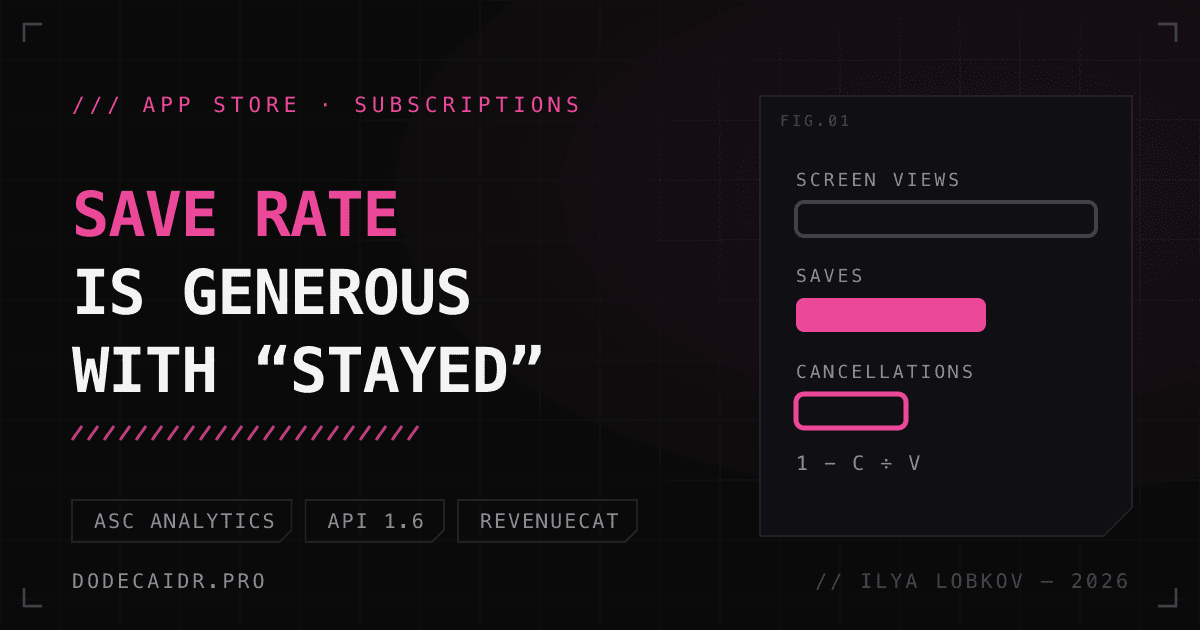
| Save Rate | 1 − Cancellations ÷ Cancellation Screen Views |
They come with breakdowns. Retention Message Type shows the kind of message: text, text with an image, text with an offer, text with a plan change. Retention Message shows its name, or the identifier for messages created through the API. Save Type exists only for Saves and splits them into three kinds: accepted the offer, tapped "Don't Cancel", changed plan. Plan change and the Suggested Subscription breakdown exist only for API messages.
There is no separate metric for a retention offer. The help page suggests filtering Offer Starts and Paid Subscriptions in the Offers section by the Retention Offer type.
Save Rate is generous about who stayed#
The Save Rate formula doesn't check that the person actually stayed. By Apple's definition, Saves includes people who left the screen without tapping anything. A save is counted when the screen is shown, whether or not a payment follows. Closed Settings, came back an hour later and canceled? The first view is already counted as a save, and the second will count as a cancellation.
So I'll read Save Rate together with two older metrics from the same help page: Voluntary Churn (subscriptions that ended by the user's decision) and the Cancellation Reason breakdown. If Save Rate goes up and voluntary churn doesn't go down, the message is only postponing the cancellation.
Be careful comparing your Save Rate with other people's numbers, too. At WWDC Apple cited an average save rate increase of 1.4 percentage points after teams added messages. In October RevenueCat reported a median of 16.7% across 309 apps. Neither Apple nor RevenueCat says how these figures relate to the new metric in App Store Connect.
What changed in the API on November 4#
On the same day retention messages became available in App Store Connect, version 1.6 of the Retention Messaging API shipped (changelog). Two changes matter if you connect a real-time server:
- Apple now always calls your real-time URL, even when no default message is configured.
- In your server's response,
messageIdentifiercan point to a message created in App Store Connect.
The order in which a message is chosen: your server's response, then the App Store Connect message, then the API default message. If the server doesn't answer within 700 ms or returns an error, the system shows the App Store Connect message, or the default message if there isn't one (server requirements). The App Store Connect message becomes the fallback for when the real-time server doesn't respond.
Retention messaging through RevenueCat#
You don't have to write your own server with response signing and a 700 ms limit: RevenueCat takes over the real-time part. Here is what it takes, per the RevenueCat documentation:
- Access to Apple's API. Only the Account Holder of the developer account can submit the request form.
- In the RevenueCat dashboard: Lifecycle → Retention, the Apple Retention Messaging API section. First a default message for each product, then real-time messages.
- The URL from the app settings in RevenueCat goes to Apple, sandbox first. Apple accepts the production URL only after a performance test in the sandbox. The test needs a real purchase in the sandbox or TestFlight; a local
.storekitfile won't work. - App Store Server Notifications. Messages work without them, but RevenueCat's charts are inaccurate without them.
Sandbox and production are fully separate in RevenueCat: sandbox messages don't carry over to production, so you create them again. The title is limited to 66 characters and the subtitle to 144. These are RevenueCat field limits; I didn't find those numbers at Apple. RevenueCat doesn't support bulleted lists yet. It does have audience filters (storefront, last offer, trial period) and experiments between approved messages. App Store Connect has nothing like that: it allows one active message per subscription.
The RevenueCat documentation lists no SDK changes: iOS draws the cancellation screen, and the app has no part in it.
The plan for ArcaLuna#
ArcaLuna, my tarot and astrology app, is getting ready for release. Purchases already run through RevenueCat on StoreKit 2, and there are no accounts. The Premium subscription group has three plans: weekly with no trial, monthly, and yearly with 7 free days. Lifetime is separate, a one-time purchase, and it doesn't need a retention message.
ArcaLuna has no cancellation screen of its own. That was decided at the design stage: the purchase screen says that cancellation happens in system settings. So the system Confirm Cancellation screen will be the only place where the app can say anything to a person who is leaving. Nothing is set up yet; below is the order I'll do it in.
Step 1, by release: a message in App Store Connect. Text only, one per subscription. The text says what the person actually loses and what stays with them. The natal chart wheel and the big three stay free. Journal entries older than 30 days aren't deleted, only hidden, and saved friend profiles stay on the device. Apple's rules forbid prices and discounts in the text. It needs translating into all five of the app's languages. This message will be the fallback for step 2.
Step 2, after API approval: RevenueCat. Different messages for different plans. For someone canceling the weekly plan, a message offering a switch to the yearly plan: it's in the same subscription group, and week after week costs more. For someone canceling during the 7-day trial, a separate text: they haven't paid anything yet, and persuading them with a discount makes no sense.
Step 3: an offer only after measuring. I'm not setting up a cancellation discount yet. In the Dipsea case study RevenueCat published on November 5, a 50% discount raised save rate from 18.8% to 22.1%, but revenue per subscriber fell from $3.16 to $1.24 (write-up). The sample size and duration aren't given, but the direction is telling: the discount kept more people, and the group with the discount still brought in less money than the group without it.
A test button that isn't in the release#
RevenueCat requires a TestFlight build to have a button that opens the subscription management sheet, otherwise you can't reach the cancellation screen in the sandbox. ArcaLuna intentionally has no such button, so I'll add it to test builds only. Debug is detected with a compilation flag, TestFlight by the AppTransaction environment:
import StoreKit
import SwiftUI

/// A button for test builds only: opens the system subscriptions sheet,
/// from which the Confirm Cancellation screen is reachable in the sandbox.
struct ManageSubscriptionsTestButton: View {
    @State private var isPresented = false
    @State private var isTestBuild = false

    var body: some View {
        Group {
            if isTestBuild {
                Button("Manage subscriptions (test)") { isPresented = true }
                    .manageSubscriptionsSheet(isPresented: $isPresented)
            }
        }
        .task {
            #if DEBUG
            isTestBuild = true
            #else
            // In TestFlight, AppTransaction comes from the sandbox environment.
            if let result = try? await AppTransaction.shared,
               case .verified(let transaction) = result {
                isTestBuild = transaction.environment == .sandbox
            }
            #endif
        }
    }
}
The code compiles for iOS 17, ArcaLuna's minimum version. In the App Store the build gets the production environment, and the button isn't drawn. If AppTransaction can't be verified, there is no button either: when in doubt, it's better to hide it.
What I'll watch after launch#
- Cancellation Screen Views: how many people reach the screen at all. With few cancellations per month, any percentage is noise.
- Save Rate broken down by Save Type: the share of "Don't Cancel" against plan changes.
- Voluntary Churn for the same period: whether it confirms Save Rate.
- In RevenueCat: an experiment between the two step 2 texts, once there are enough impressions.
Retention messaging exists only in the App Store. ArcaLuna's Android version is on Google Play, and how to retain subscribers there isn't covered in this article.