On November 4, 2026, Apple opened retention messages in App Store Connect. It's a message, plus an offer if you want one, that a subscriber sees on the cancellation confirmation screen. Before that it was available only through the Retention Messaging API, by access request. Now App Store retention messaging is configured in the dashboard, with no server code at all.
MeteoHealth subscriptions run on StoreKit 2, without RevenueCat. So I care about what I can switch on today and how to tell later whether it helped. Below: the setup order, the spots where App Review rejects text, and a look at the numbers from Apple and RevenueCat, which measure different things.
What the subscriber sees#
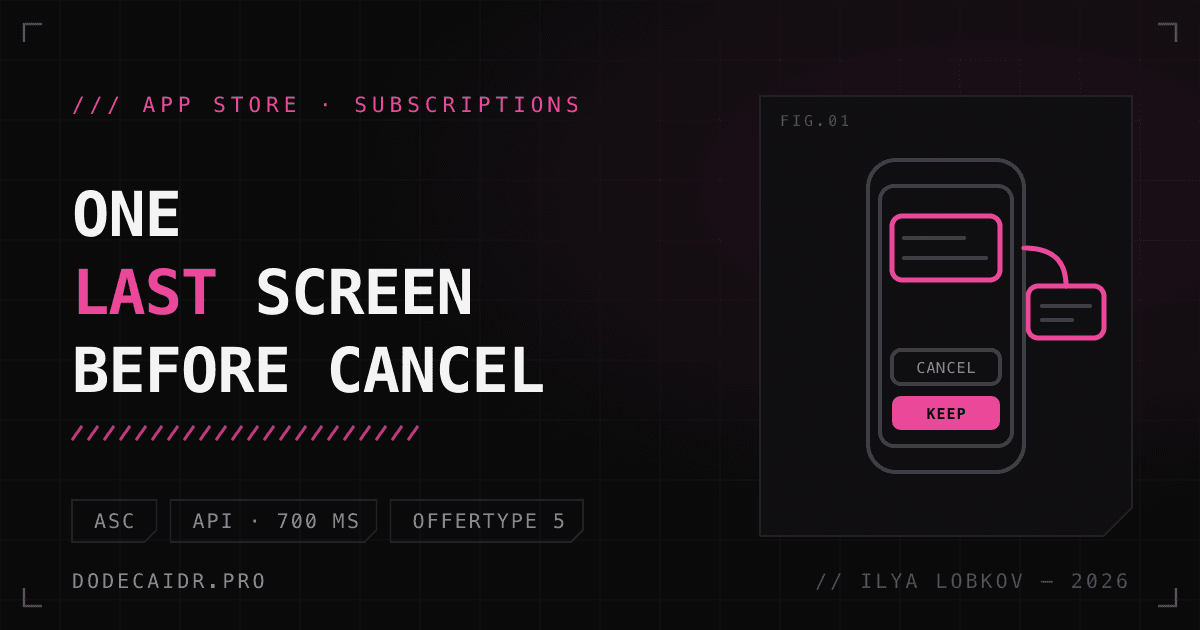
A person opens the subscription page in settings and taps Cancel Subscription. The system shows a Confirm Cancellation page with a "From the developer" section holding your message. The buttons are Cancel Subscription and Keep Subscription, or, if there's an offer, a button to redeem it. A message comes in three variants:
- text only;
- text and an image (no offer, or the subscriber isn't eligible for it);
- text and an offer, for an eligible subscriber. The image isn't shown in this case, the offer takes its place.
It works on iOS 15.1+, iPadOS 15.1+, visionOS 1+ and macOS 14+. On older systems the cancel screen stays as it was (API overview).
App Store retention messaging: two ways to set it up#
You can build a message in App Store Connect or serve it through the Retention Messaging API. The two combine, but they cost different amounts.
| App Store Connect | Retention Messaging API | |
|---|---|---|
| Server | Not needed | Needed |
| Message types | Text, text and image, text and offer | Text (with bullet points), text and image, plan switch, promotional offer |
| Picking a message per subscriber | No, one message per subscription | Yes, in real time |
| Offer | Retention offer, configured at the subscription level | Promotional offer, signed by your server |
| Access | Account Holder, Admin, App Manager, Marketing roles | By request |
In API mode, the App Store calls your endpoint when an active subscriber opens a subscription page that has a Cancel button. The request is signed by the App Store as a JWS, and you have to verify that signature. It carries originalTransactionId, productId, userLocale, environment and other fields. In production you must answer within 700 ms. Before launch the endpoint has to pass a Performance Test in the sandbox. If the request fails, the subscriber gets the App Store Connect message for that subscription, and if there isn't one, the default message.
The priority works like this: a real-time response beats everything, and an App Store Connect message beats the API's default messages. Since November 4 (API version 1.6), a real-time response can name the identifier of a message configured in App Store Connect (changelog). So your server can choose from what you built in the dashboard.
Default messages in the API are set per product and locale pair, text only, no offers. On API access, Adapty writes that Apple's review takes up to a month, so send the request early. That's Adapty's claim; Apple's documentation states no timeframe.
I'd start with App Store Connect. A server for an experiment with an unknown effect isn't worth it, and if the effect shows up, you can add the API later: since version 1.6 a real-time response can point to a message built in App Store Connect.
Setting it up in App Store Connect, step by step#
Details are in Apple's help page and in WWDC26 session 309.
- Open the app, then Monetization, Subscriptions, Retention Messaging, and press "+" or Get Started.
- Set a Reference name. Subscribers never see it.
- Fill in the header and body, both required. Localize them for every storefront where the subscription is sold.
- If you want an image, upload one at 3840 × 2160 or 5244 × 2950 pixels. The help page doesn't give the file format or size limit.
- Pick the subscriptions. You get up to 10 messages per app, any number of subscriptions can share one message, but a subscription has exactly one message at a time.
- Optionally attach a retention offer (see below).
- Open the preview: a card view, iPhone and iPad views, a choice of offer or None.
- Press Add for Review. The Approved status means the message is live and shown to eligible subscribers who try to cancel.
Offers#
A retention offer is created at the subscription level, not the message level, and the subscriber sees it only through a message. For each subscription billing plan type (standard, or monthly with a 12-month commitment for one-year subscriptions) you can create up to 10 offers, and all ten can be attached to one message. The App Store decides which one to show. In Apple's words from WWDC: "The App Store will automatically choose the best offer for eligible customers."
Two things to know before you create one. The Reference name and the offer identifier can't be changed after creation. The identifier is how you later see sales in Sales and Trends and transactions in StoreKit, so name it so that you'll know what it is in six months.
Eligibility is set by conditions. Paid Subscription Duration requires a minimum time as a paying subscriber. Wait Between Offers is optional and applies per offer, not to the subscription as a whole. The offer types are Pay as you go, Pay up front and Free. Prices for other countries are calculated from the latest exchange rates, and you can override them.
What App Review cuts from the text#
The header and body can't mention promotions, discounts or specific prices: no "$9.99", no "50% off", no "one month free". App Review rejects such messages. Every subscriber sees the text, while only eligible ones see the offer.
Factual statements about what the person will lose are fine. Don't coerce or promise anything you can't verify: Apple's own example is that you can't claim canceling a VPN will give someone a virus. Apple also strongly discourages superlatives like "the best app" and unsupported statistics, along with all caps and repeated exclamation marks.
Below are examples for a hypothetical subscription to a weather-based wellbeing forecast. I wrote these texts myself, for illustration.
| Example | Verdict | Why |
|---|---|---|
| "Stay, and next month is 50% off" | Rejected | A discount in text that every subscriber sees |
| "The BEST forecast for weather-sensitive people!!!" | Discouraged | Superlative, all caps, repeated exclamation marks |
| "Without a subscription, pressure changes and migraines will hit you" | Risky | Intimidation and an unverifiable claim, the same class as the VPN virus |
| "9 out of 10 subscribers feel better" | Discouraged | Statistics without backing |
| "After you cancel, the wellbeing forecast for the coming days will stop updating" | Fits | A factual loss, no prices, no promises |
| "Your saved wellbeing notes stay on the device, but new weather-based recommendations come only with a subscription" | Fits | Says calmly what stays and what goes |
On length. The limits of 66 characters for the header and 144 for the body are documented for the Retention Messaging API. For messages you type into App Store Connect, the help page names no limits. I'd keep the text within the same limits, since no limit is named for ASC.
Version traps#
- You can't roll a message back. Editing an approved message creates a New Version: the draft sits next to the live one, and users keep seeing the live one. After approval the draft replaces it, and there's no way back.
- The sandbox shows the latest version, drafts included. A tester can see what users don't see yet.
- Deleting a message is permanent. At the limit of 10 messages, creating an eleventh means deleting an existing one.
- A subscription belongs to one message. Select it in a second message and it disappears from the first, so after edits check who is attached to what.
On automation: at WWDC, Apple said the App Store Connect API "will also support" Retention Messaging, and the help page says you can automate retention messages with it. I found no endpoint names in the docs, so there is nothing to build ASC API automation on yet.
Does it work#
Apple has a number from WWDC: an average save rate increase of 1.4 percentage points, which they call an 82% increase. Messages with a promotional offer did best, at +5.5 points, or 223%. Apple defines save rate as the share of subscribers who keep their subscription after reaching the cancel confirmation page. Apple adds a caveat of its own: results vary across developers. No period or sample size is given.
RevenueCat paints a different picture, and it's vendor data, not independent research. On October 6 it published early benchmarks covering 21,960,020 messages from 309 early-access apps, each with at least 100 messages, between March 22 and September 20, 2026.
- Median save rate: 16.7%. In the bottom quarter of apps it's under 10 in 100, in the top quarter over 27, and for the best 10% it's 42 or higher.
- Offer acceptance from June to September: 1.1% for promotional offers and 0.6% for plan switches.
- The effect on cancellations was compared across 64 apps with 500+ paying customers against matched peers. RevenueCat's conclusion: the data doesn't show a measurable effect either way. The authors say the analysis does not establish that messages caused subscribers to stay or renew.
- The share of apps using messages grows with revenue: 44.4% at $1M+ a month, 16.9% at $100k to $1M, 4.7% at $10k to $100k, 1.3% at $1k to $10k, 0.06% below $1k.
That last point matters for reading the rest. Apps with messages skew large, so in my view the sample may be biased, and a small project could behave differently. Apple's and RevenueCat's figures can't be compared directly: Apple names no period or sample, and RevenueCat's data comes from early adopters.
Setting this up in App Store Connect takes one dashboard screen and an App Review pass. What it does for you, only your own subscribers will show, so measure the result on them.
Apple gives you two tools for that. When a subscriber redeems a retention offer, the signed transaction and the renewal info carry an offerType with the value 5. The offer identifier is also visible in Sales and Trends and in StoreKit transactions. That lets you compare renewals of those who took the offer against everyone else. I found no built-in control-group comparison in Apple's help, so you'd build the renewal comparison yourself.
My plan for MeteoHealth, and it is only a plan, nothing is configured yet: first a text-only message about a factual loss, no offer, and compare the share of cancellations a month before and after. It's not an A/B test; season affects cancellations too. Then add an offer and use offerType 5 to see how many people accepted it and whether they renewed after it. How long to wait depends on cancellations per month.
Retention messages and win-back offers#
An active subscriber sees a retention message at the moment they tap Cancel; a former subscriber gets a win-back offer. Win-back offers, announced on September 10, 2024, target former subscribers and appear in the App Store, in the app, via a link and in subscription settings. One doesn't replace the other. If the person leaves anyway, they have already seen the retention message; next comes win-back.
Launch checklist#
- Subscriptions are already set up and the terms and EULA links are in place. If not, start with the article on EULA and subscription terms links.
- You've chosen a path: App Store Connect or the API. For the API, the access request went out early.
- Header and body have no prices, discounts, all caps or exclamation marks, and state a fact about what's lost. Check the text against the App Review requirements.
- Localizations exist for every storefront where the subscription is sold.
- If there's an image, it's 3840 × 2160 or 5244 × 2950.
- If there's an offer: the identifier is meaningful and final, and the conditions (Paid Subscription Duration, Wait Between Offers if needed) are set.
- The preview is checked on iPhone and iPad, and both variants, with and without the offer, are checked in the sandbox.
- After approval, subscriptions are attached to the right message.
- Measurement is in place:
offerType5 and the offer identifier in reports. Transactions and renewal info are read through StoreKit 2, covered in the StoreKit 2 subscriptions guide.