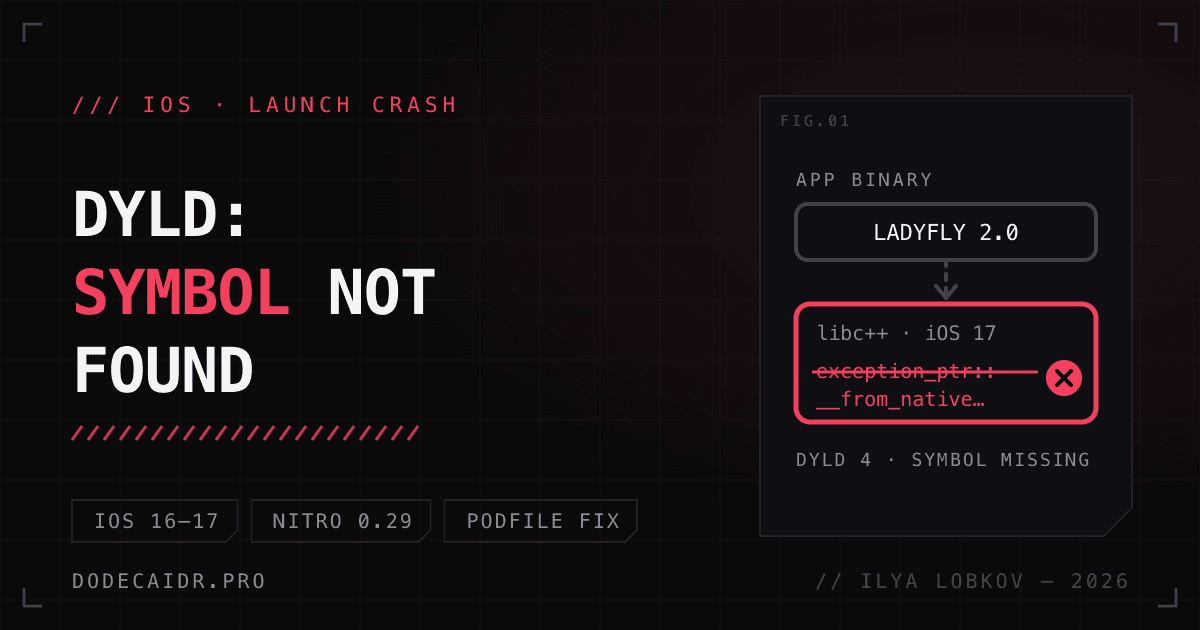
A dyld: Symbol not found error in version 2.0 of my app LadyFly looked like this: on iPhones running iOS 16 and 17, the app closed right after launch, before the first screen. iOS 18 and later were fine. I found out two days after release, from the crash counter in App Store Connect. Below, step by step: where to find the reports, how to find the library that pulls in the missing symbol, and how a single Podfile change fixed it.
Setup: Xcode 27.1, iOS 27.1 SDK, React Native 0.81.4, react-native-nitro-modules 0.29.6, minimum deployment target iOS 15.1.
Where to see launch crashes#
App Store Connect. The Analytics overview has a "Crashes by app version" card. Version 2.0 showed 8; the previous version, 1.13, had one in 90 days. In Metrics, with crashes grouped by platform version, all eight were on iOS 17.6, all within two days of the release. These numbers only come from people who share diagnostics, so the real count is higher.
The web dashboard has no stack traces, only counts.
Xcode Organizer. The full reports are in Xcode: Window → Organizer → Crashes, pick the app on the left, version 2.0. Xcode downloaded five reports from three devices and grouped them as NO_CRASH_STACK. After that the files sit on disk, and they're easier to read from the terminal:
~/Library/Developer/Xcode/Products/<bundle id>/Crashes/Points/*/Filters/*/Logs/*.crashWhat the report said: dyld Symbol not found in libc++#
All five reports were identical, an iPhone 8 on iOS 16.7.16:
Exception Type:  EXC_CRASH (SIGABRT)
Termination Reason: DYLD 4 Symbol missing
Symbol not found: __ZNSt13exception_ptr31__from_native_exception_pointerEPv
Referenced from: .../LadyFly.app/LadyFly
Expected in:     /usr/lib/libc++.1.dylib
(terminated at launch; ignore backtrace)
Termination Reason: DYLD 4 Symbol missing means the dyld loader couldn't find a function the binary references in a system library, and killed the process before main. That's also why there's no stack: none of the app's code had run yet.
Run through c++filt, the symbol reads std::exception_ptr::__from_native_exception_pointer(void*). It's a function in libc++, the C++ standard library on iOS.
My first guess was wrong#
Version 2.0 added frameworks that older iOS doesn't have: FoundationModels for photo suggestions (iOS 26+), Translation and ActivityKit. I suspected them first and checked the archive:
otool -l LadyFly.app/LadyFly | grep -A2 LC_LOAD_WEAK_DYLIBAll three are linked as LC_LOAD_WEAK_DYLIB, meaning optional, and their code sits behind #available. If they were the problem, the report would name the framework, not libc++.
Which iOS version this symbol needs#
The SDK headers answered that. In usr/include/c++/v1/__configuration/availability.h the function is marked _LIBCPP_INTRODUCED_IN_LLVM_18, and on Apple platforms LLVM 18 maps to iOS 18. The system libc++ on iOS 16 and 17 is older and doesn't have it.
Normally that's harmless. With a deployment target below 18, clang sees the marker and compiles std::make_exception_ptr down to the old throw/catch path, without the new function. So some code had been built around that check.
How to find the library that pulls in the symbol#
The app binary is linked from dozens of CocoaPods static libraries. The intermediate .a files stay in DerivedData after an archive build, and nm -u shows which object file references the symbol:
D=~/Library/Developer/Xcode/DerivedData/LadyFly-*/Build/Intermediates.noindex/ArchiveIntermediates
find $D -name '*.a' -path '*iphoneos*' | while read f; do
  nm -u -A "$f" 2>/dev/null | grep from_native_exception_pointer
done
Exactly one hit: libNitroModules.a:RuntimeError.o. Nitro Modules is the native layer that react-native-unistyles runs on in LadyFly.
Nitro's ios/utils/RuntimeError.hpp has a small function:
static inline std::exception_ptr makeException(const std::string& message) {
  return std::make_exception_ptr(std::runtime_error(message));
}
Nitro's Swift code (RuntimeError.swift) calls it through C++ interop. My explanation: when this inline function is compiled on the Swift side, the libc++ availability check is skipped, and it links the new function directly. What supports it: Nitro calls make_exception_ptr in two more places (Promise.hpp, JSIConverter+Exception.hpp), but those are built by plain clang and don't pull in the symbol. Every pod was built for iOS 15.1, so the deployment target wasn't the cause.
The fix in the Podfile#
makeException has to build the exception_ptr without the new function. One approach works with any libc++: throw the exception and catch it.
try {
  throw std::runtime_error(message);
} catch (...) {
  return std::current_exception();
}
Editing node_modules by hand is pointless; the change disappears on the next install. The project already had a post_install hook that patches a header in the fmt library the same way, so I added a second patch next to it:
nitro_error = File.join(__dir__, '..', 'node_modules', 'react-native-nitro-modules', 'ios', 'utils', 'RuntimeError.hpp')
if File.exist?(nitro_error)
  source = File.read(nitro_error)
  patched = source.sub(
    'return std::make_exception_ptr(std::runtime_error(message));',
    "try {\n    throw std::runtime_error(message);\n  } catch (...) {\n    return std::current_exception();\n  }"
  )
  File.write(nitro_error, patched) if patched != source
end
After pod install and an archive build, I checked the binary:
nm -u LadyFly.app/LadyFly | grep -c from_native_exception_pointer2.0 (69) gave 1, the fixed build gave 0. I had no iOS 16 or 17 simulator, so this is a static check: I'm looking at what the binary references, not running it on an old system.
One more gotcha: a space in the path#
The first archive with the fix failed while bundling the JS:
/bin/sh: /Users/dodecaidr/Desktop/My: No such file or directoryThe React Native template's build script calls /bin/sh -c "$WITH_ENVIRONMENT $REACT_NATIVE_XCODE" without quoting the paths, and the project lives in a folder called "My Progect". I built the archive from a copy of the project in a folder without spaces and pointed REACT_NATIVE_PATH at the copy.
Shipping 2.0.1 with an expedited review#
The rest was routine: I bumped the version to 2.0.1 and the build to 70 in the Info.plist of the app and the widget, uploaded the build, filled in "What's New" in all eight localizations and set the release to go out automatically after approval. As I write this, the version is in review.
Apple has a form for exactly this situation: request an expedited review. It only works once the version has been submitted. You pick the app and the platform; after I sent it, Apple confirmed right away that the review would be expedited. If the version gets rejected, the resubmission goes back to the same queue on its own.
How not to ship a build like this again#
Before every upload I run the archive through my own check script: permission strings, the privacy manifest, extension versions. It now has one more check: when the deployment target is below 18, it looks for __from_native_exception_pointer, __cxa_init_primary_exception and a couple of other symbols from the newer libc++. On the old 2.0 (69) archive it found two at once; I hadn't seen the second one, because dyld only reports the first missing symbol. On the 2.0.1 archive, zero errors.
The short version for your own project, if it has Swift code with C++ interop or pods like Nitro:
nm -u Payload/App.app/App | grep -E 'from_native_exception_pointer|cxa_init_primary_exception'Empty output means the loader won't trip over these symbols on iOS 15–17. If you build releases in the cloud, this line fits in ci_post_xcodebuild.sh; there's more on those scripts in my Xcode Cloud guide. And what App Review looks at after the upload is covered in the October 2026 App Review guidelines article.