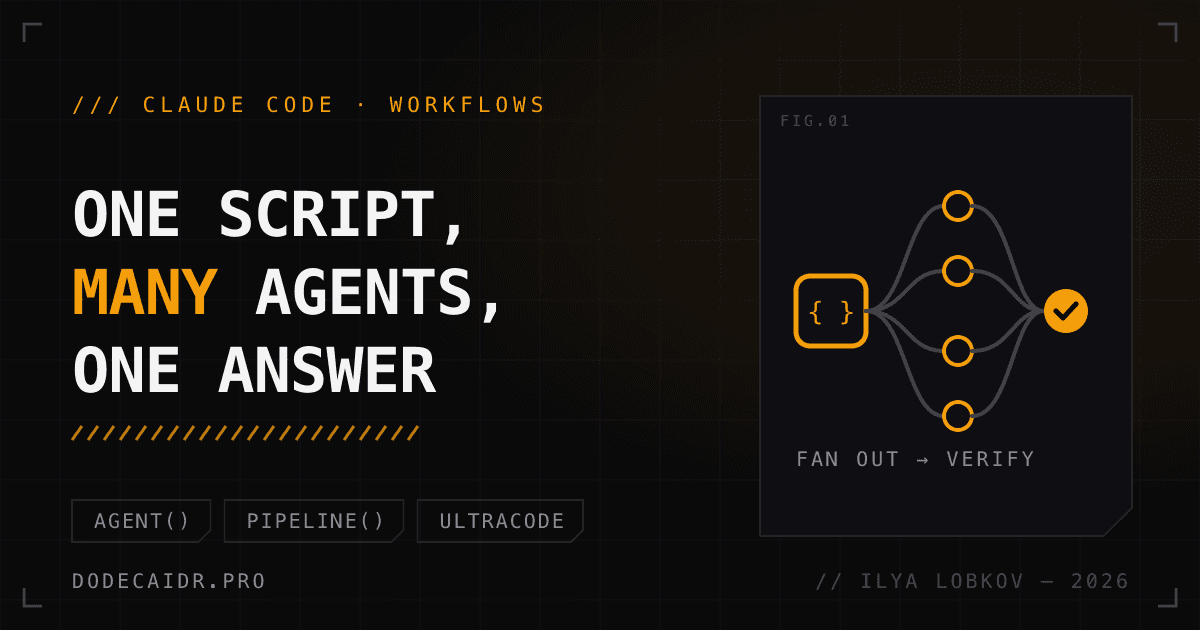
Every article on this site comes out in five languages. Before it goes live, each locale gets checked on its own: translation accuracy, machine-sounding phrasing, hidden characters. That's fifteen checks per article, and until now Claude Code ran them one after another, piling every intermediate report into the context of a single session. Claude Code workflows solve exactly this problem. Claude writes a JavaScript script, the runtime uses it to launch subagents in the background, and only the final result comes back into the conversation.
Below: what this mode is according to the Claude Code documentation, how it differs from subagents, skills and agent teams, how to start it, and where it stops paying for itself. I checked everything against the docs as of November 3, 2026, on Claude Code 2.1.316. Workflows are available on all paid plans and through the Anthropic API, Amazon Bedrock, Google Cloud Agent Platform and Microsoft Foundry. On Pro you have to turn them on in /config, the Dynamic workflows line.
Claude Code workflows: the plan moves into code#
Claude Code could already run subagents, skills and agent teams. What changes is who holds the plan. In the three older options the orchestrator is Claude itself: it decides mid-conversation whom to launch next, and every result lands in its context. In a workflow, loops, branches and intermediate data live in script variables.
| Subagents | Skills | Agent teams | Workflow | |
|---|---|---|---|---|
| Who decides what's next | Claude, turn by turn | Claude, following instructions | The lead agent | The script |
| Where intermediate results live | Claude's context | Claude's context | A shared task list | Script variables |
| What you can reuse | The worker's description | The instructions | The team lineup | The orchestration itself |
| Scale | A few tasks per turn | Same as subagents | Several long sessions | Dozens to hundreds of agents |
| If interrupted | The turn starts over | The turn starts over | Teammates keep working | Resumes in the same session |
That also answers a question people ask a lot: how is a workflow different from a skill? A skill is text Claude reads and carries out itself. A workflow is executed by the runtime, and Claude only sees the answer.
Scale isn't the main gain, though. Once the order of work lives in code, you can build quality control into it: some agents look for problems, others independently try to refute them, and only what holds up goes into the report. Or the plan gets drafted from three angles and a fourth agent compares the versions.
Three ways to start one#
The built-in /deep-research. Claude Code's deep research command is the quickest way to watch the mode in action. It fans web searches out in several directions, cross-checks the sources it finds against each other, votes on every claim and returns a report with links. Claims that fail the cross-check are dropped. If a claim couldn't be checked because of a limit or an API error, it's marked unverified, not refuted.
/deep-research What changed in the Node.js permission model between v20 and v22?Ask for it in the prompt. Put the word ultracode at the start of a prompt, or just ask in your own words ("use a workflow"), and Claude will write a script for that task instead of working through it step by step. You can cancel the highlighted word for the current prompt with Option+W on macOS or Alt+W on Windows and Linux.
The word only fires in a prompt a human typed. A prompt from claude -p, a scheduled task, a webhook or a pull request comment won't start a workflow, even if ultracode is in it.
Turn it on for the whole session. That's the third way, and it gets a section of its own.
Claude Code ultracode: what it does and when to turn it off#
/effort ultracode is a session setting; it doesn't touch the effort level. With it on, Claude decides for itself which tasks need a workflow, and a single request can turn into three runs in a row: understand the code, make the change, verify it. Launching with claude --effort ultracode also sets the level to xhigh. You turn it off with /effort ultracode off.
Ultracode removes three safeguards: the Large workflow warning, the Agent tool's cap on concurrent subagents and, in auto mode, the confirmation before the first run. The docs say outright that on a subscription such a session hits the daily or weekly limit sooner. For everyday work (an edit, a review of one file, a cover letter) I'd leave it off.
What the script looks like#
Claude usually writes the script, but it's worth reading. Before a run, Claude Code shows the phases and lets you open the code (View raw script or Ctrl+G). Here's a sketch for my locale review. I put it together from the docs and haven't run it on a real article yet:
export const meta = {
  name: 'article-locale-review',
  description: 'Review every locale of an article against the Russian source',
  phases: [{ title: 'Review' }, { title: 'Verify' }],
}

const FINDINGS = {
  type: 'object',
  required: ['findings'],
  properties: {
    findings: {
      type: 'array',
      items: {
        type: 'object',
        required: ['locale', 'quote', 'problem'],
        properties: {
          locale: { type: 'string' },
          quote: { type: 'string' },
          problem: { type: 'string' },
        },
      },
    },
  },
}
const VERDICT = {
  type: 'object',
  required: ['isReal', 'reason'],
  properties: { isReal: { type: 'boolean' }, reason: { type: 'string' } },
}

const LOCALES = ['en', 'es', 'ja', 'zh-CN']

phase('Review')
const reviews = await pipeline(LOCALES, locale =>
  agent(
    `Compare content/articles/ru/general/${args.slug}.mdx with ` +
      `content/articles/${locale}/general/${args.slug}.mdx. ` +
      `List omissions, additions and mistranslations. Do not edit files.`,
    { label: locale, schema: FINDINGS },
  ),
)

phase('Verify')
const findings = reviews.filter(Boolean).flatMap(r => r.findings)
const verdicts = await parallel(
  findings.map(f => () =>
    agent(`Try to refute this translation issue: ${JSON.stringify(f)}`, {
      label: `verify:${f.locale}`,
      schema: VERDICT,
    }).then(v => (v ? { ...f, ...v } : null)),
  ),
)

return verdicts.filter(v => v?.isReal)
agent() launches one subagent, pipeline() launches an agent for every item in a list, and parallel() runs a set of tasks at once and waits for all of them. phase() groups agents in the progress view. args is the input you pass when running a saved command ("Run /article-locale-review on slug claude-code-workflows").
Note the filter(Boolean). An agent that was stopped, or that died on an unrecoverable API error, returns null, and pipeline() leaves that null in the array. schema makes the subagent return JSON of the required shape; after five failed attempts the call fails with the last validation error.
A run that went well can be saved as a command: open /workflows, pick the run, press s. The file goes into the project's .claude/workflows/ (everyone who clones the repo sees it) or into ~/.claude/workflows/ (only you, but in any project).
Limits to know before your first run#
- You can't step in. A workflow pauses on its own only for an agent's permission request and to wait for a usage-limit reset. If you need sign-off between stages, make each stage a separate run.
- The script doesn't touch anything itself. Agents read and edit files; the script just coordinates them.
import()is forbidden, andDate.now(),Math.random()andnew Date()with no arguments throw, because on a restart the agents have to be called in the same order. Pass the time in throughargs. - Ceilings. 16 agents at a time (
CLAUDE_CODE_WORKFLOW_MAX_CONCURRENT_AGENTS, from 1 to 256), 4,096 items in a singleparallel()orpipeline(), 1,000 agents per run. - Retrying after a failure costs more than you'd think. Finished agents hand back their saved result on a restart. But if the script started A, B, C and D and B failed, the restart only takes A from the cache. B, C and D run again, even if C and D had already finished.
- A stalled agent restarts by itself, up to five times. You can give long tasks more time with
stallMsinagent(). - Hit your subscription limit? The run waits for the reset and carries on by itself, but only in an interactive session, with
autoContinueAtUsageLimiton, if the reset comes within 24 hours, and no more than twice. Inclaude -pand in a background session the agent just fails.
If you close the session and stop its tasks, the run stops along with it. The saved results stay: run claude --resume, then ask Claude to restart the workflow.
What a workflow costs#
A single run burns noticeably more tokens than the same work done in conversation, and all of it counts against your plan's limits. Claude Code labels a run Large workflow when it has more than 25 agents or the estimate goes past 1.5M tokens. That's only a warning; the run still goes ahead.
How many agents Claude plans for is set by a size guideline, workflowSizeGuideline:
| Value | Agents |
|---|---|
small | fewer than 5 |
medium | fewer than 10 |
large | fewer than 50 |
unrestricted | whatever the task needs |
The default is medium; on Pro, since version 2.1.271, it's small. You change it with /config workflowSizeGuideline=small. It's a hint to the model, and if your prompt explicitly asks for more, Claude goes with the prompt.
There's also a saving that's easy to forget about. Agents in one run that share the model, effort level, tools, schema and working directory read from a common prompt cache, so Claude Code holds them back for up to five seconds until the first one starts responding. The cache lives for five minutes; subagentPromptCacheTtl: "1h" stretches it to an hour at a higher write price.
One tip from the docs I agree with: try a workflow on a slice first. One folder instead of the whole repo, one narrow question instead of a broad one. /workflows shows token usage per agent, and you can stop a run at any point without losing what's already done.
Where a workflow pays off#
The tell is simple: the same operation over many objects, plus cross-checking the result. Auditing every route handler for missing authorization, migrating five hundred files in isolated copies, hunting flaky tests in rounds until a new round turns up nothing. If the agents in that kind of job write to shared files, they need the same discipline people do: isolation, or write claims instead of silent overwrites.
For me that means two procedures. One is checking all five locales of every article, the one above. The other is checking security patches across all my sites: one agent per repository compares versions and the Dockerfile, a second one re-checks what it found. Both repeat, and both currently eat up the session's context.
A cover letter, a fix to one function, a single article: none of that needs a workflow. One pass is cheaper and no worse. Workflows don't change anything about project knowledge every agent needs, either. You still have to keep it somewhere, for example in a wiki connected to Claude Code over MCP. And once there are many agents writing code for real, git itself can become the bottleneck, as it did at Anthropic, which replaced it with its own system.
Here's how I'd start: /config workflowSizeGuideline=small, then /deep-research on a question you were going to spend half an hour googling anyway, and then check in /workflows what it cost.


